
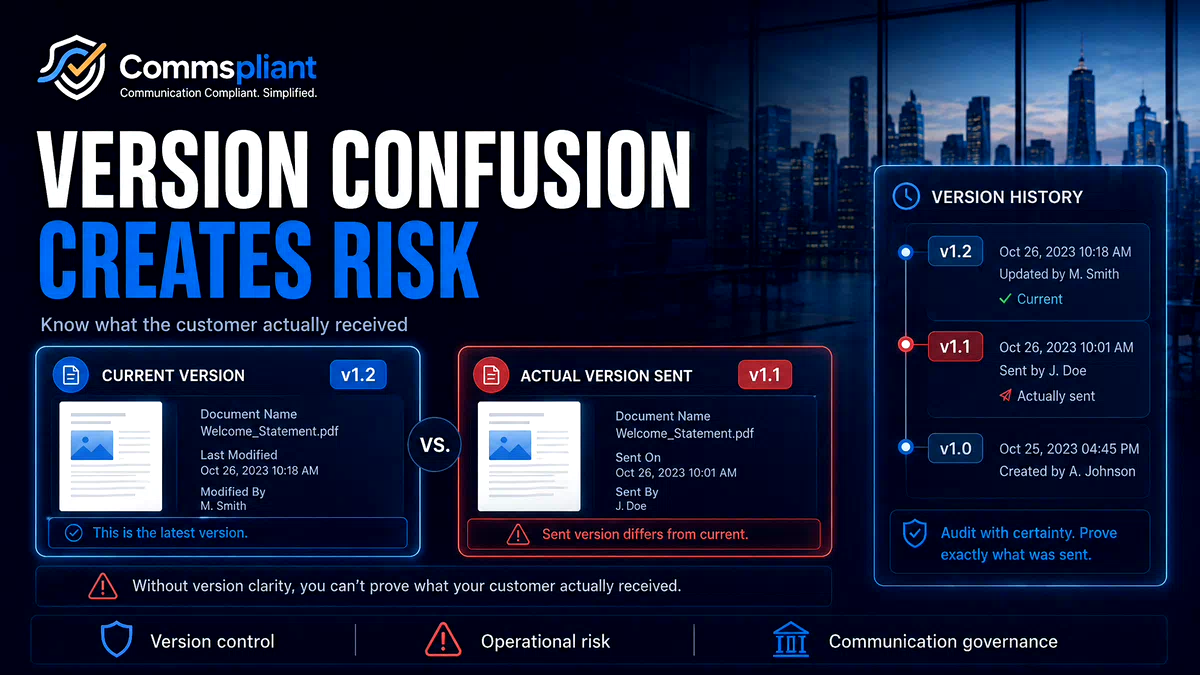

When a regulated business updates an interest rate, fee explanation, policy notice, pension communication or regulatory disclosure, the change needs to be reflected consistently across the relevant customer touchpoints.
That sounds simple.
But behind the scenes, many customer communications are spread across different systems: application code, PDF templates, email tools, shared folders, spreadsheets and manual approval records.
When approved wording lives in too many places, different versions of the same communication can exist at the same time.
That is where version confusion begins.
The Illusion of a Single Update
A common assumption is that when a master wording document is updated, the change will automatically be reflected everywhere.
In reality, many regulated teams need to answer practical questions before they can be confident the right version is live:
Has the old version been retired?
Is a legacy system still using an older template?
Are automated emails and PDF outputs using the same approved wording?
Has the new version gone live in production, or only in a test environment?
Can someone accidentally publish an unapproved layout or wording change?
Can the business prove which version was active at a specific point in time?
Without a controlled version management process, answering these questions can become slow and manual.
Why Version Confusion Happens
Version confusion is rarely caused by a lack of effort.
It usually happens because the communication workflow is fragmented.
The parallel library problem
Compliance or operations may maintain an approved wording document, while engineering holds a different version inside the application codebase.
Both teams may believe they are working from the correct version.
But if the systems are not connected, the business can end up with two sources of truth.
The release timing problem
A wording update may be approved by compliance, but still wait for an engineering release before it appears in production.
This can create a gap between the approved version and the version customers actually receive.
The shared folder problem
When templates are stored in shared folders or cloud drives, files can be copied, renamed, overwritten or edited without a clear approval trail.
Over time, teams may lose confidence about which version is final, approved or live.
The legacy system problem
Older systems may continue to use historical templates that are not linked to the latest approved wording.
This can be difficult to spot until a customer complaint, audit or internal review reveals the mismatch.
The Cost of a Version Breakdown
When outdated or inconsistent wording reaches customers, the impact is not only operational.
It can create wider business risk.
Teams may need to investigate which customers received which version, when the issue started, how long it remained live and whether any corrective action is needed.
That investigation can pull in compliance, operations, product, data and engineering teams.
Instead of moving forward, the business has to reconstruct the past.
This is exactly the kind of work that a stronger version control process should help reduce. For a practical guide to controlling customer communication versions from draft through approval and generation, see Customer Communication Version Control: What It Is and Why It Matters.
What Better Version Management Looks Like
A stronger communication workflow gives teams a clear way to manage wording from draft to approval to publication.
1. One controlled workspace
Approved customer communication wording should live in a structured environment, not scattered across folders, spreadsheets, email chains and code files.
2. Clear approval status
Teams should be able to see whether a version is draft, in review, approved, live or retired.
3. Controlled publication
Only approved versions should be available for live customer communications.
4. Traceable version history
Every version should have a clear record of what changed, when it changed and who approved it.
5. Easier reconstruction
If the business needs to answer what was sent at a specific point in time, the record should be easier to find without searching across disconnected systems.
Separating Communication Wording from Application Code
For many regulated teams, one useful shift is to separate approved communication wording from the application codebase.
The application should manage the customer journey, data flow, authentication, delivery logic and integration.
The communication workspace should manage approved wording, template status, version history and audit records.
Engineering remains responsible for the technical foundation.
Compliance and operations gain clearer control over approved wording.
Product teams gain better visibility over what is live.
This creates a cleaner division of responsibility and reduces the risk of version confusion.
Where CommsPliant Fits
CommsPliant is a working platform that helps regulated businesses manage approved customer emails and PDFs in one controlled workspace, with approval workflows, version history, audit logs and API rendering.
The goal is to reduce version confusion by giving teams a clearer way to manage, approve, publish and evidence customer communication changes.
Instead of relying on disconnected shared folders, developer tickets, manual tracking and code history, teams can manage the communication lifecycle through one structured process.
General Information Notice
This article is for general information only and does not constitute legal, regulatory or compliance advice. Regulated firms should consult qualified compliance or legal professionals when interpreting specific obligations.
Book a discovery call
CommsPliant is a working platform for regulated businesses that manage customer emails, PDFs or letters through fragmented workflows and want a clearer, more auditable way to control communication changes.
If your team is trying to reduce version confusion, manual approvals or developer dependency in customer communication workflows, book a discovery call or contact us to discuss CommsPliant.