Versions everywhere
Word files, emails and copies are spread across different people and systems. Which version is actually authorised?

Your platform for managing and generating customer communications.
Every document, with approved wording and evidence of how it was generated.
Create, review and approve templates. Then generate personalised letters, emails and PDFs, with a record of which version was used, who approved it and when each document was generated.
A working platform, open to new customers and pilot projects.
Word files, emails and copies are spread across different people and systems. Which version is actually authorised?
Teams copy data, adjust documents and review the same wording again and again.
Who approved the change? Which version was used to generate this document?
CommsPliant brings preparation, approval and generation into one controlled process.

Create a template containing the common wording and placeholders for data that changes, such as customer name, reference or date.
Another authorised user reviews and approves the version. The person drafting the wording cannot approve their own content.
Generate personalised communications from the approved version.
Data can be provided through Excel or CSV files, or directly from existing systems through an API integration.
CommsPliant can generate PDFs, print-ready letters and emails, using the approved content together with the relevant data for each recipient.
If your process requires a different format or a specific integration, we can assess additional options based on the requirements of the project.
The version used, its approval history and the generation date remain connected in the CommsPliant Evidence Vault.
For example, you may need to prepare a notice for 500 customers. Approve one template, then generate a personalised communication for each recipient while keeping a record of how each one was generated.
Reuse an approved template instead of preparing every document from scratch.
See which version is approved and available for document generation.
Define who can edit, who can approve and who can generate.
AI can help with drafting support, suggested edits or placeholder assistance within the workflow.
It does not approve, publish or send communications. A person remains responsible for every decision, and AI-assisted interactions are recorded as part of the process.


Review the content, check the version details and approve, request changes or reject before a communication can be used.
Generate personalised PDFs with approved wording for downstream print workflows.
Example: 2,000 letters with different names and references, generated from one approved template.
Prepare communications for different customers, partners or distributors.
Example: notices about new commercial terms, service changes or warranty information.
Maintain approved communication templates across different branches or dealer locations.
Example: scheduled service notices or warranty communications personalised with customer and vehicle information.
Coordinate communications for buyers, distributors or commercial partners.
Example: personalised letters about new distribution terms using previously approved wording.
Prepare repeatable communications for citizens, suppliers or applicants.
Example: requests for additional documentation using each case reference and recipient details.
For public-sector projects, procurement, security and data-handling requirements should be reviewed from the beginning.
These are examples of potential use, not current customers. What matters is the process, not only the sector.
If several answers are yes, it may be worth looking at the process and seeing whether CommsPliant could help.
No. It generates documents that can be used within a print workflow. It does not design packaging, labels or advertising material.
No. Billing remains in the customer’s existing system.
No. The organisation remains responsible for reviewing and approving content. CommsPliant does not provide legal advice.
No. It can connect to existing systems to receive the required data. Integration requirements are assessed case by case.
No. Generation, sending and delivery are separate events. The generation record documents how the communication was generated.
In the CommsPliant Trust Center.

When approved wording reaches email, portal and PDF at different times, customers can see different versions. See how CommsPliant helps keep them aligned.
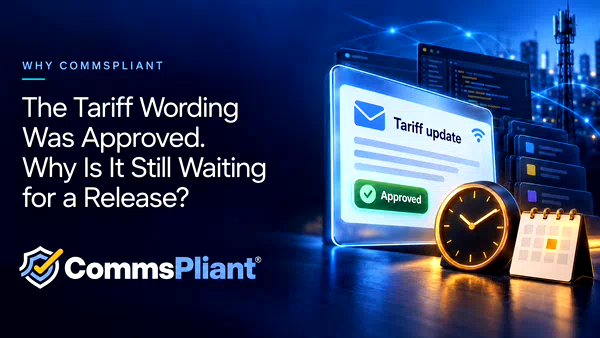
Update tariff email wording through version control and human approval in CommsPliant, without a software release for supported template changes.
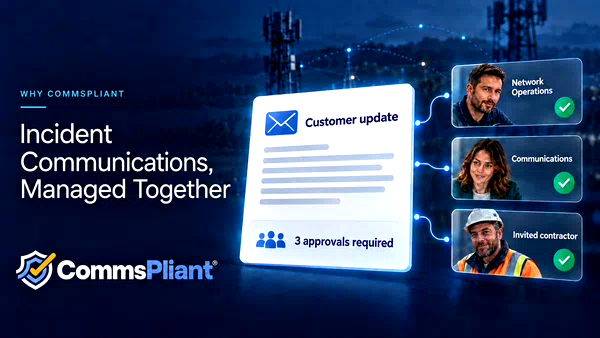
Bring internal teams and external partners together to review and approve incident communications, with version history and the CommsPliant Evidence Vault.
Show us how you prepare it today. We can review the process and, if it looks like a good fit, start with a demonstration and a small pilot using test data.