
Know which wording is actually in use
Teams need to distinguish between draft, approved and superseded wording and identify which approved version was used for a particular generation.

Debt Collection & Consumer Credit
Manage approved wording, review and approval, generation and communication evidence in one governed workflow.
Keep approved arrears and collections wording under review, then show which version was used when a notice was generated.
Collections letters have to stay consistent with what your team approved — including when CONC 7, the Consumer Duty or an instructing creditor changes the wording.
Debt collection and consumer-credit teams may manage large volumes of recurring customer communications while wording, disclosures and internal requirements continue to change.
Teams need to distinguish between draft, approved and superseded wording and identify which approved version was used for a particular generation.
An approved document in a shared folder is not the same thing as a connected, audit-ready approval and generation record.
Once the relevant system is integrated, authorised users can manage controlled template changes through the governed workflow rather than requiring engineering work for every wording adjustment.
When wording needs investigation or correction, version and generation records can help teams identify the relevant communication history and affected records.
An authorised user creates or updates the communication template.
The proposed wording and presentation can be reviewed before production use.
An authorised approver makes the approval decision.
A person who created or edited the version cannot approve that same version.
This segregation-of-duties rule is enforced by the platform.
Existing systems can request a communication using the template identifier.
The calling system does not select an arbitrary version.
CommsPliant automatically uses the latest approved version available at generation time.
The generation record, captured in the CommsPliant Evidence Vault, links the generated communication to the approved template version used, the generation timestamp and available evidence metadata.

New work can continue without overwriting the previously approved version.


Keep generation evidence distinct from sending/delivery evidence.

The visual demonstrates EDIT, APPROVE, GENERATE, personal task queues and segregation of duties.

Approved source. Generation history. Integrity evidence. Related audit records.
The CommsPliant Evidence Vault provides the evidence layer connecting generated communications to the approved template version used, generation timestamp and available supporting metadata.
By default, the CommsPliant Evidence Vault captures a cryptographic hash of the rendered output rather than retaining the full document.
Full document retention applies only where explicitly agreed with the client.
Sending and delivery status is recorded only where status information is returned by the configured sending system or delivery provider.
Controlled letters or emails relating to accounts that have moved into arrears.
Recurring customer communications relating to payment arrangements, repayment plans or account updates.
Templates used by operational collections teams where wording must remain controlled, reviewable and versioned.
Where a wording issue has been identified, version and generation records can support investigation and targeted remediation.
Manage authorised templates and communication changes without depending on engineering for every wording update.
Review proposed wording, make approval decisions and keep the decision connected to the relevant template version.
Integrate systems with the communication-generation layer while allowing controlled content changes to happen outside ordinary software release cycles.
Where enabled, AI Enhance can assist authorised users with wording changes on template placeholders.
AI Enhance does not operate on rendered or personalised customer content.
AI cannot autonomously approve, publish or send a customer communication.
Human users must accept, edit or reject AI-assisted changes.
AI activity may be recorded against the relevant template/version according to the platform's existing logging behaviour.

When approved wording reaches email, portal and PDF at different times, customers can see different versions. See how CommsPliant helps keep them aligned.
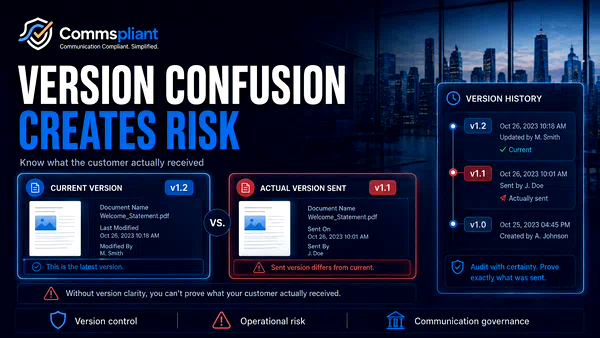
Version confusion in customer emails, PDFs and letters can create operational risk. Learn why regulated teams need controlled version history and clearer publication workflows.

When approvals are questioned later, can you prove who changed, reviewed and approved the exact version? Explore the communication evidence problem.
No. A person who creates or edits a template version cannot approve that same version. Approval must come from another authorised user.
No. CommsPliant is not the compliance brain. It provides the controlled workflow, versioning, review, approval, generation and evidence layer around customer communications. Compliance decisions remain with the organisation and its authorised people.
Once the relevant system is integrated with CommsPliant, authorised users can manage template wording through the governed workflow without requiring a new software release for every wording change.
The calling system supplies the template identifier. CommsPliant automatically uses the latest approved version available at generation time. The caller does not select an arbitrary historical version.
The CommsPliant Evidence Vault provides the evidence layer connecting generated communications to the approved template version used, generation timestamp and available supporting metadata. By default, the CommsPliant Evidence Vault captures a cryptographic hash of the rendered output rather than retaining the full document. Full document retention applies only where explicitly agreed with the client. Sending and delivery status is recorded only where status information is returned by the configured sending system or delivery provider.
No. Generation, sending and delivery are separate events. CommsPliant can provide evidence of generation and the approved version used. Sending and delivery evidence depends on information returned by the configured sending system or delivery provider.
The current platform supports email, PDF and printable-letter outputs.
No. AI Enhance can assist authorised users with wording changes on template placeholders. It does not operate on rendered personalised customer content and cannot independently approve, publish or send communications. Human decision-making remains required.
See how the workflow could work with one of your communication processes using safe, fictional or anonymised example data.
Coming soon
Coming soon
