
Scattered wording and version history
Approved resident templates may sit in shared drives, supplier files, email threads and departmental folders — making it hard to know which wording is current or was in use.

Local Government & Councils
Council teams manage large volumes of resident letters, notices and service communications — but the records behind them are often scattered across shared drives, inboxes, supplier templates and departmental folders.
When a resident query or internal review asks which approved version was used to generate it, teams should not have to rebuild the story manually from disconnected files.
Council communications teams need to show what was approved, what changed and which version was in use when a letter or notice was generated.
The challenge is rarely a single missing system — it is scattered records, scattered wording and difficulty proving what was approved and used later.
Approved resident templates may sit in shared drives, supplier files, email threads and departmental folders — making it hard to know which wording is current or was in use.
A document in a shared folder or an approval by email is not the same thing as a connected approval and generation record tied to the communication that was produced.
Where third-party or supplier templates are used, councils still need governed version history and a clear record of what was approved before generation.
When a resident query or internal review arises, teams need to identify which approved version was used to generate it — without searching across disconnected systems.
An authorised user creates or updates the resident communication template.
The proposed wording and presentation can be reviewed before the version becomes available for generation.
An authorised approver makes the approval decision.
A person who created or edited the version cannot approve that same version.
This segregation-of-duties rule is enforced by the platform.
Existing systems can request a communication using the template identifier.
The calling system does not select a template version.
CommsPliant automatically uses the latest approved version available at generation time.
The generation record links the generated communication to the approved template version used, the generation timestamp and available evidence metadata.


Keep generation evidence distinct from sending and delivery evidence.
Approved source. Generation history. Integrity evidence.
The CommsPliant Evidence Vault connects generated resident communications to the approved template version used and the generation timestamp.
Move from a generated communication to the evidence behind it, in one place — without reconstructing the record from scattered files.
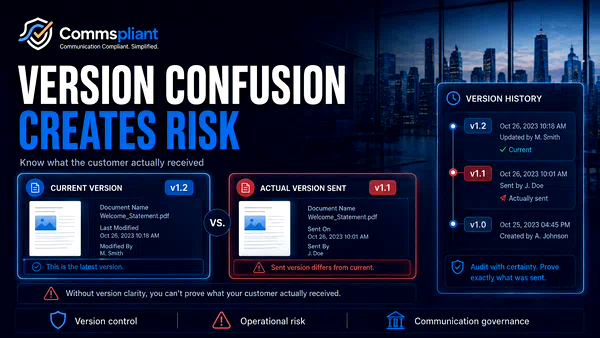
Version confusion in customer emails, PDFs and letters can create operational risk. Learn why regulated teams need controlled version history and clearer publication workflows.

When approvals are questioned later, can you prove who changed, reviewed and approved the exact version? Explore the communication evidence problem.

Compliance approved the wording on day one. Why did release take five? See where the delay happens and how CommsPliant cuts the release bottleneck.
See how the workflow could work with one of your council communication processes using safe, fictional or anonymised example data.
Coming soon
Coming soon
